Mozilla Firefox - быстро
работающий браузер, причем быстрота работы заметна не только во время
загрузки веб-страниц, но и при поиске в закладках и Истории. Сделан он
на основе движка Mozilla и позволяет просматривать все веб-страницы в
одном многовкладочном окне, а также обладает множеством других полезных
опций, включая способность значительного расширения возможностей
подключением плагинов.
В Mozilla Firefox 3 введено использование графической библиотеки
Cairo. Поддержка теста Acid2. Защита от сайтов, устанавливающих вирусы,
трояны, шпионы и т. д. выделена в отдельную базу и настройки. Новый
менеджер загрузок и улучшения в менеджере дополнений. Подкасты и
видеокасты могут быть ассоциированы с медиа-плеерами. Разные темы для
разных платформ, с улучшенной интеграцией с системными. Улучшен поиск
по посещенным сайтам. Увеличение скорости и сокращенное использование
памяти. Улучшения в диалоговом окне информации о сайте. Microsoft
Windows 4.x и Mac OS X v10.2 больше не поддерживаются. Из окна
дополнений можно работать с addons.mozilla.org. Официальные заметки к
релизу на данный момент отсутствуют.
New in Firefox 3:
Firefox 3 is based on the Gecko 1.9 Web rendering platform, which has
been under development for the past 34 months. Building on the previous
release, Gecko 1.9 has more than 15,000 updates including some major
re-architecting to provide improved performance, stability, rendering
correctness, and code simplification and sustainability. Firefox 3 has
been built on top of this new platform resulting in a more secure,
easier to use, more personal product with a lot more under the hood to
offer website and Firefox add-on developers.
More Secure:
* One-click
site info: Click the site favicon in the location bar to see who owns
the site and to check if your connection is protected from
eavesdropping. Identity verification is prominently displayed and
easier to understand. When a site uses Extended Validation (EV) SSL
certificates, the site favicon button will turn green and show the name
of the company you're connected to. (Try it here!)
* Malware Protection: malware protection warns users when they arrive
at sites which are known to install viruses, spyware, trojans or other
malware. (Try it here!)
* New Web Forgery Protection page: the content of pages suspected as web forgeries is no longer shown. (Try it here!)
* New SSL error pages: clearer and stricter error pages are used when
Firefox encounters an invalid SSL certificate. (Try it here!)
* Add-ons and Plugin version check: Firefox now automatically checks
add-on and plugin versions and will disable older, insecure versions.
* Secure add-on updates: to improve add-on update security, add-ons
that provide updates in an insecure manner will be disabled.
* Anti-virus integration: Firefox will inform anti-virus software when downloading executables.
* Vista Parental Controls: Firefox now respects the Vista system-wide
parental control setting for disabling file downloads.
* Effective top-level domain (eTLD) service better restricts cookies and other restricted content to a single domain.
* Better protection against cross-site JSON data leaks.
Easier to Use
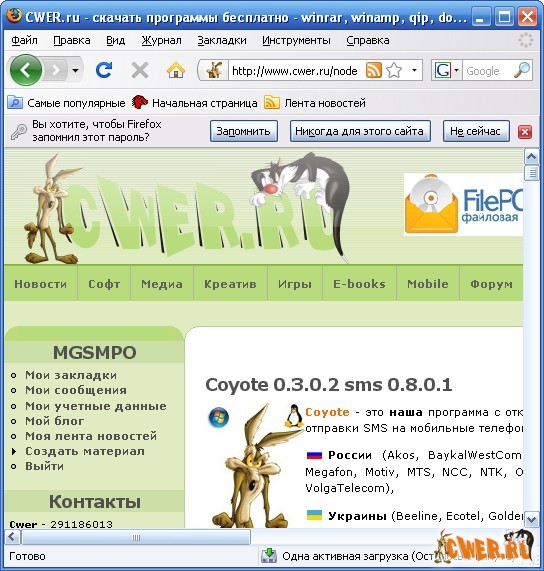
* Easier password management: an information bar replaces the old
password dialog so you can now save passwords after a successful login.
* Simplified add-on installation: the add-ons whitelist has been
removed making it possible to install extensions from third-party sites
in fewer clicks.
* New Download Manager: the revised download manager makes it much
easier to locate downloaded files, and you can see and search on the
name of the website where a file came from. Your active downloads and
time remaining are always shown in the status bar as your files
download.
* Resumable downloading: users can now resume downloads after
restarting the browser or resetting your network connection.
* Full page zoom: from the View menu and via keyboard shortcuts, the
new zooming feature lets you zoom in and out of entire pages, scaling
the layout, text and images, or optionally only the text size. Your
settings will be remembered whenever you return to the site.
* Podcasts and Videocasts can be associated with your media playback tools.
* Tab scrolling and quickmenu: tabs are easier to locate with the new tab scrolling and tab quickmenu.
* Save what you were doing: Firefox will prompt users to save tabs on exit.
* Optimized Open in Tabs behavior: opening a folder of bookmarks in
tabs now appends the new tabs rather than overwriting.
* Location and Search bar size can now be customized with a simple resizer item.
* Text selection improvements: multiple text selections can be made
with Ctrl/Cmd; double-click drag selects in "word-by-word" mode;
triple-clicking selects a paragraph.
* Find toolbar: the Find toolbar now opens with the current selection.
* Plugin management: users can disable individual plugins in the Add-on Manager.
* Integration with Windows: Firefox now has improved Windows icons, and
uses native user interface widgets in the browser and in web forms.
* Integration with the Mac: the new Firefox theme makes toolbars,
icons, and other user interface elements look like a native OS X
application. Firefox also uses OS X widgets and supports Growl for
notifications of completed downloads and available updates. A combined
back and forward control make it even easier to move between web pages.
* Integration with Linux: Firefox's default icons, buttons, and menu styles now use the native GTK theme.
Скачать Mozilla Firefox 3.0 RC3 (7,77 МБ):
|