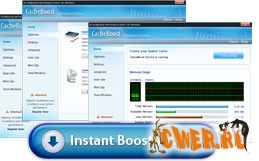
CacheBoost - оптимизирует
системный кэш, а также дефрагментирует оперативную память. В результате
приложения начинают работать быстрее и стабильнее. Программа может
восстанавливать утечки памяти, что предотвращает падение системы.
Утилита также имеет набор функций для оптимизации системы в целом.
Key Benefits:
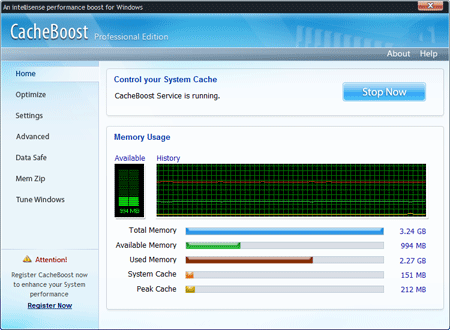
Graphical display of memory resources
The
real time statistics on memory usage, consumption, availability and
size of system cache and peak cache is presented both graphically and
numerically.
Guard memory resource allocation
CacheBoost runs in your system tray providing better resource
allocation. However, you have an additional advantage to optimize the
resources manually by defragging and repairing memory leaks and freeing
the space of system cache.
Make your PC more responsive!
CacheBoost intelligently runs in the background to monitor and control
the processes which take place in the memory through its unique
Automatic Intelligent Settings.
Utilize existing hardware efficiently
Built-in Memory Zipper engine manages and organizes the available
memory which is required to run various programs. It also stabilizes
the system performance while a user swaps various files and programs
‘in-and-out’ of the memory.
Make your computer fast and stable
Pioneer in designing Data Safe Technology, offers the first-ever
possibility to ensure that each and every data is written to your hard
drive, preventing information loss, and securing your essential cache
memory. It not only saves memory as it releases file cache but is also
safe and reliable.
Optimize the file cache-management
Built-in Memory Zipper engine manages and organizes the available
memory which is required to run various programs. It also stabilizes
the system performance while a user swaps various files and programs
‘in-and-out’ of the memory.
Glide through Windows
CacheBoost lets you to fine tune your Windows system. It makes your
system faster by improving core system performance, optimizing system
cache and clearing swap files.
Скачать CacheBoost Server Edition 5.0.2.3 (2,7 МБ):
|